[notice] A new release of pip is available: 26.0 -> 26.0.1
[notice] To update, run: pip install --upgrade pip

[notice] A new release of pip is available: 26.0 -> 26.0.1
[notice] To update, run: pip install --upgrade pip

[notice] A new release of pip is available: 26.0 -> 26.0.1
[notice] To update, run: pip install --upgrade pip
Create a client instance - for searching the CEDA STAC catalog
Collect up the “cloud assets” connected with the search results
This method collects up the cloud assets, which may be Zarr, NetCDF or Kerchunk files. The latter represent an index that points to content within other files (typically NetCDF).
The files themselves can be served over a variety of protocols, including:
POSIX: local file system HTTP(S): old-fashioned HTTP(S) access S3: using Amazon’s S3 protocol (over HTTP(S)) We identify them and then list the related products.
Select a product and use it (as an Xarray Dataset)
A product has an .open_dataset() method, which loads it (lazily) into an xarray.Dataset, making it ready for use in the Python session.
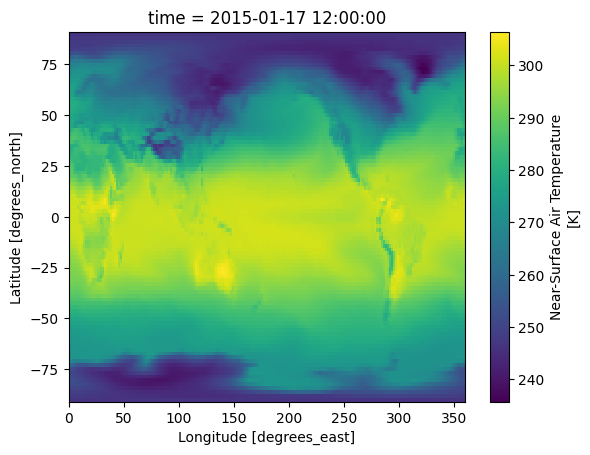
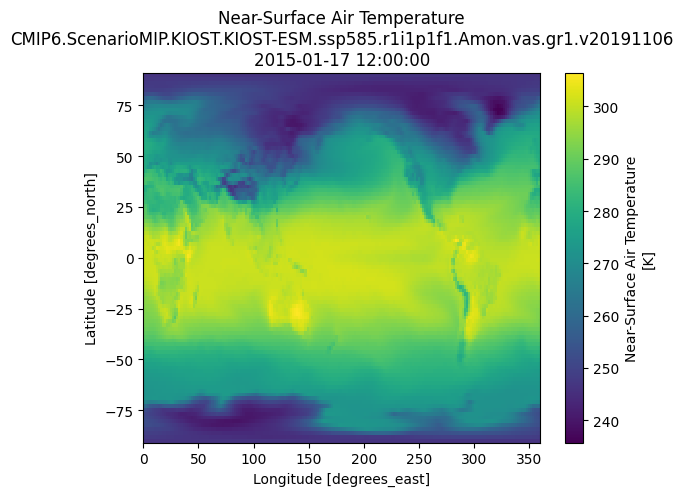
tas_product =Nonefor product in cluster:if"tas"in product.id: tas_product = productbreakif tas_product: ds = tas_product.open_dataset() ds.tas.sel(time="2015-01-17 12:00:00").squeeze().plot()else:print("tas variable not found in cluster")
for product in cluster:if"tas"in product.id:print(product.id)print(product.stac_attributes.keys())print(product.stac_attributes)break
# Access metadata for the selected 'tas' productif tas_product: metadata = tas_product.stac_attributesprint("STAC Metadata for Product ID:", tas_product.id)print("STAC Attributes:", metadata)# If you'd like to see more details or other attributes:for key, value in metadata.items():print(f"{key}: {value}")else:print("tas product not found.")
# Try checking the 'variables' attribute to see if the data is present thereprint(tas_product.variables)# Or inspect the 'stac_attributes' for any relevant metadataprint(tas_product.stac_attributes)# You can also explore 'attributes' if the other two don't helpprint(tas_product.attributes)
# Use existing variables from above cells_, stac_item =next(iter(search_basic.items.items()))geocroissant_data = cloud_product_to_geocroissant(tas_products, stac_item)# Save and display resultwithopen('ceda_cmip6_geocroissant.json', 'w') as f: json.dump(geocroissant_data, f, indent=2)print(f"✓ Generated GeoCroissant with {len(geocroissant_data['distribution'])} file(s)")